


Sync payroll data across all your clients from AccountantsWorld Payroll Relief into Audit1.
What syncs: Multi-client employee records, Payroll details & pay stubs, Client company information, Pay schedules
Best for: Accounting firms and bookkeepers managing payroll for multiple clients.
Prerequisites #
- AccountantsWorld Payroll Relief account with admin access
- Active client payrolls in AccountantsWorld
- Active Audit1 account with employers already created for each client
- API access enabled (contact AccountantsWorld if needed)
Setup #
1. Contact Support #
Email support@audit1.com with subject "AccountantsWorld Connector". Include your Audit1 org ID, account name, number of clients, and estimated total employees.
2. Get API Credentials #
Contact AccountantsWorld support. They'll provide:
| Credential | Value |
|---|---|
| Base URL | https://api.payrollrelief.com/integration |
| Token URL | https://auth.accountantsoffice.com/connect/token |
| Client ID | Your OAuth client identifier |
| Client Secret | Your OAuth client secret |
| API Key | Per-employer authentication key (x-api-key header) |
| Grant Type | client_credentials |
3. Configure in Audit1 #
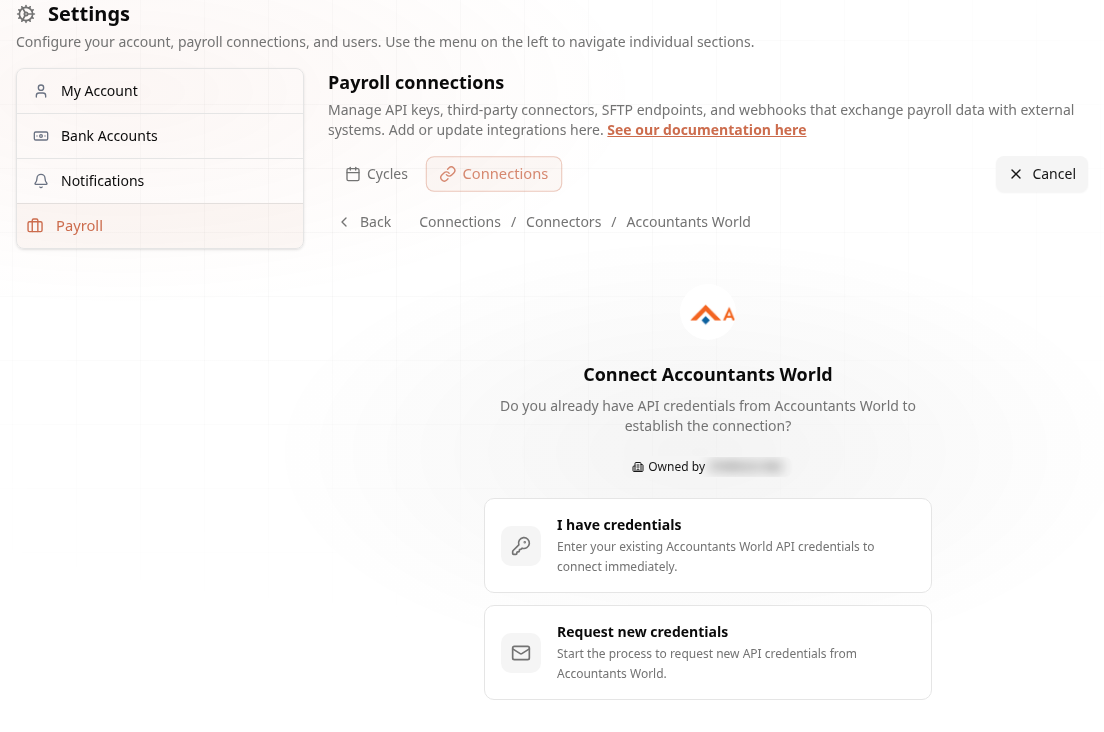
In the Connections Center, go to Settings > Payroll > Connections > Create Connection > Connectors > Accountants World. Choose I have credentials (or Request new credentials if you're still waiting on AccountantsWorld):
Enter credentials:
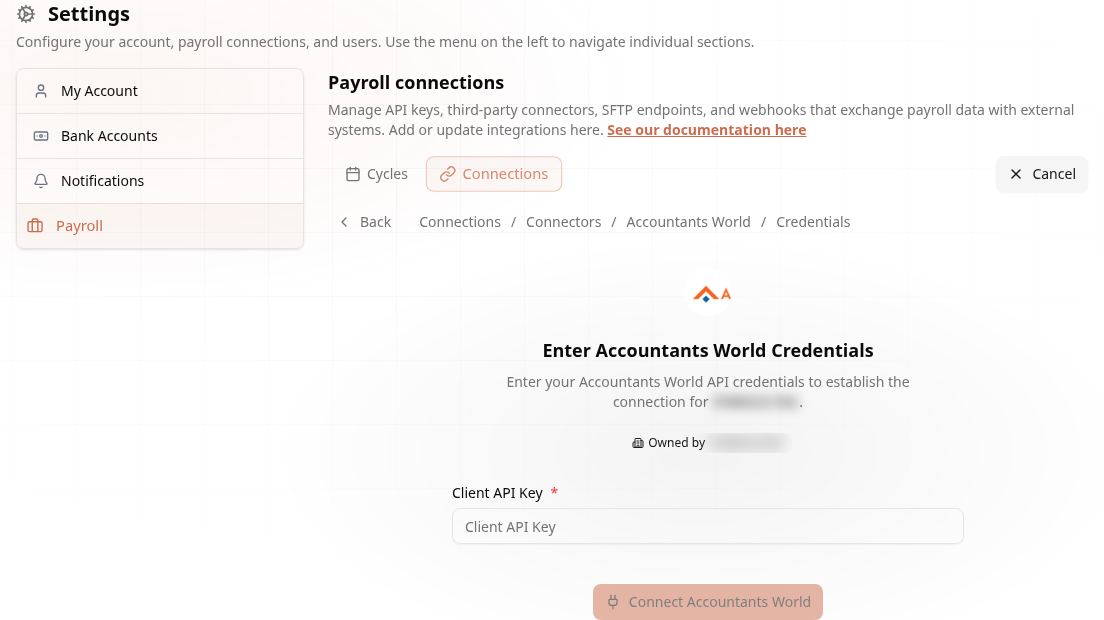
Click Test Connection to validate. Then Retrieve Clients to see all your clients.
4. Map Clients to Employers #
Each AccountantsWorld client maps to an existing employer in Audit1. Employers must already be created in the system before syncing -- the connector discovers employers that are linked to AccountantsWorld via Settings connections and have valid API keys on file.
5. Configure and Go Live #
| Setting | Recommendation |
|---|---|
| Frequency | Weekly (Monday mornings) |
| Scope | Last 12 months |
Syncs are triggered on the configured schedule via Cloud Scheduler or manually through the API. Test with 2-3 clients first, verify data, then enable for all clients.
Multi-Client Management #
- The connector discovers all employers linked to AccountantsWorld via their Settings connection
- Each employer has its own per-client API key for data isolation
- Sync runs process all ready employers, or target specific ones
- Add/remove clients anytime by updating their Settings connection
How It Works #
The connector uses OAuth 2.0 client_credentials to authenticate with AccountantsWorld's REST API (not SOAP). A Bearer token is obtained from the token endpoint and used alongside a per-employer x-api-key header for API calls.
For each employer, the connector:
- Fetches employee list, client info, and pay schedules
- Pulls payroll details for the configured date range
- Fetches pay stubs for each payroll period
- Deduplicates against existing files in MongoDB (skips periods already synced)
- Transforms data to normalized CSV and uploads to the Audit1 ingestion pipeline
Each pay period becomes one file per employer in the system, with one record per employer+period tracked in the Accountants_world_pull_data collection.
Troubleshooting #
| Problem | Solution |
|---|---|
| Can't authenticate | Verify Client ID, Client Secret, API Key, and Token URL. Confirm API access enabled with AccountantsWorld. |
| Some clients fail | Check that the client has recent payroll data and is active. Verify the per-client API key is correct. |
| Missing data | Verify date range includes the payroll periods you expect. Check that the employer exists in Audit1. |
| Slow sync | Large client lists take longer. Syncs can be scoped to specific employers for faster iteration. |
Need help? Email support@audit1.com with subject "AccountantsWorld Connector".