


Sync employee and payroll report data from UKG into Audit1.
What syncs: Employee records, Saved reports (payroll data, custom reports), Global reports
Prerequisites #
- Active UKG account with API access
- Administrator access or API permissions
- Active Audit1 account
- UKG API credentials (Username, Password, Company ID)
Setup #
1. Start in the Connections Center #
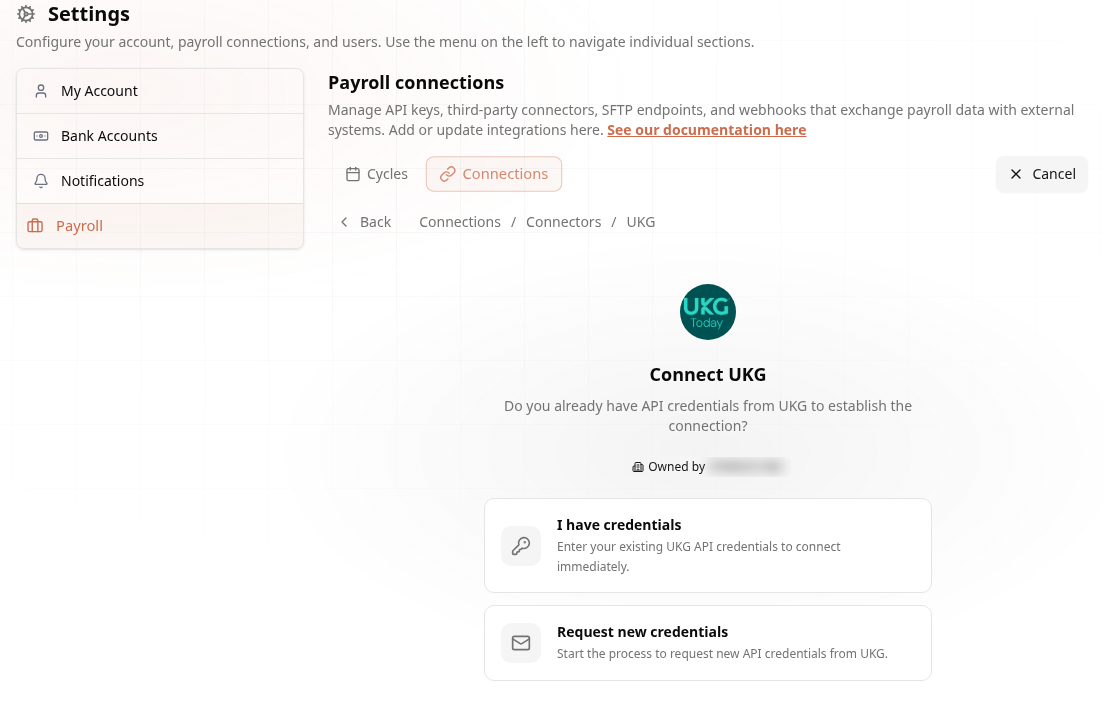
Go to Settings > Payroll > Connections > Create Connection > Connectors > UKG (see Connections Center for the full map).
The wizard asks whether you already have API credentials from UKG — choose I have credentials to connect immediately, or Request new credentials to start the request process (the connection is created in pending status until they're ready):
2. Get UKG API Credentials #
From your UKG system, obtain the following credentials:
| Credential | Description |
|---|---|
| API URL | Your UKG API base URL |
| Username | Service account username |
| Password | Service account password |
| Company ID | Your UKG company identifier |
3. Configure Connection #
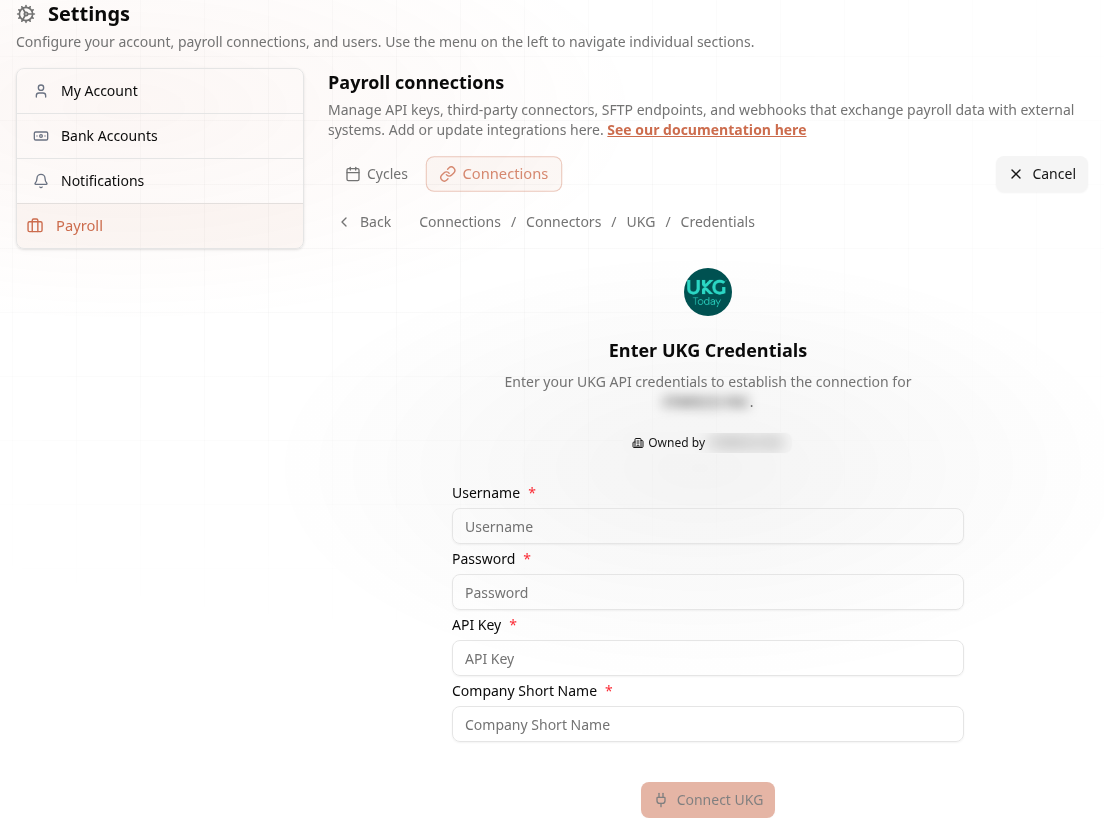
Enter your credentials in Audit1 and click Test Connection. The connector authenticates by logging into the UKG API with your username, password, and company ID, and receives a session token for subsequent requests.
4. Set Schedule and Go Live #
| Setting | Options |
|---|---|
| Frequency | Daily (recommended), weekly, or manual |
Syncs are triggered on the configured schedule via Cloud Scheduler or manually through the API. Run a test sync and verify data before enabling the schedule.
How It Works #
The connector authenticates with UKG and fetches data through two main channels:
- Employees -- Fetches all employees from the UKG API. Each employee record is saved and uploaded to the Audit1 ingestion pipeline.
- Saved Reports -- Retrieves all saved reports configured in your UKG system and executes each one with a date filter. This is the primary method for pulling payroll data -- the connector automatically discovers and runs all available saved reports. No manual Report ID configuration is needed.
- Global Reports -- Fetches all globally available report types from UKG.
All syncs are full syncs -- the connector pulls the complete dataset each time to ensure data integrity.
Troubleshooting #
| Problem | Solution |
|---|---|
| Can't connect | Verify username, password, API key, and company ID. Check that the service account is active and has API access enabled. |
| No reports found | Verify that saved reports exist in your UKG system. The connector fetches all saved reports automatically. |
| Data mismatch | Check the date range being used for report execution. Default is 30 days back from the sync date. |
| Slow sync | Large report sets may take longer. Run syncs during off-peak hours. |
Need help? Email support@audit1.com with subject "UKG Connector".